
Before color film became widely available in the mid-20th century, every photograph was captured in black and white. These monochrome images hold incredible historical and personal value, but they can feel distant and disconnected from reality. AI-powered colorization technology now makes it possible to add realistic, natural color to black and white photos in just seconds.
The History of Photo Colorization
Hand-coloring photographs is almost as old as photography itself. In the 1800s, artists painstakingly applied pigments and dyes to black and white prints, creating a tinted effect that approximated color. This process was slow, expensive, and results varied wildly based on the artist's skill and knowledge of the original scene's colors.
Digital colorization became possible with photo editing software in the 1990s, but it still required significant manual effort. An experienced editor might spend several hours colorizing a single photograph, carefully selecting appropriate hues for skin tones, clothing, landscapes, and skies. AI has transformed this process from hours of work into seconds of computation.
How AI Colorization Technology Works
Modern AI colorization uses convolutional neural networks trained on millions of paired color and grayscale images. The model learns associations between grayscale patterns and their likely colors. It understands that sky regions are typically blue, grass is green, and skin has specific tonal ranges based on lighting conditions.
When processing a black and white image, the AI analyzes the scene structure, identifies objects and textures, and assigns color values based on its training data. Advanced models account for lighting direction, time of day, and contextual clues within the image to produce more accurate and natural-looking results. The output maintains all the original detail and shading while adding a convincing color layer.
What Makes Good Colorization Results
Natural Skin Tones
The most critical element of photo colorization is getting skin tones right. Poor colorization often produces unnatural skin that looks painted or plastic. High-quality AI models have been specifically optimized for face colorization, producing warm, realistic skin tones that account for shadows, highlights, and ambient lighting.
Consistent Color Throughout the Image
A well-colorized image maintains consistent color temperature and lighting throughout. Objects that appear in multiple parts of the photo should be the same color. The best AI colorization tools analyze the entire image context to ensure global consistency rather than processing each region independently.
Historically Plausible Colors
While the AI cannot know the exact colors of clothing or objects in a historical photo, the best results use colors that are historically plausible for the era. Military uniforms, vehicle colors, and architectural materials should reflect reasonable choices for the time period depicted in the photograph.
Tips for Better Colorization
- Start with a high-resolution scan of the original black and white photo for the best detail in the colorized version.
- Clean up any scratches or damage before colorizing, as defects can confuse the AI color prediction.
- Ensure the original image has good contrast, since low-contrast images give the AI fewer visual cues to work with.
- Try colorizing the same image multiple times, as some AI tools can produce slightly different color interpretations each time.
Common Colorization Challenges
Even the best AI colorization has limitations. Images with unusual lighting, very low contrast, or unfamiliar subject matter may produce less accurate results. Group photos where individuals have different skin tones can sometimes challenge the AI. Photos taken in unusual conditions, like infrared photography, may produce unexpected color mappings since the grayscale values do not correspond to visible light in the usual way.
Despite these challenges, AI colorization continues to improve rapidly. Each new generation of models produces more accurate, more detailed, and more natural-looking color than the last.
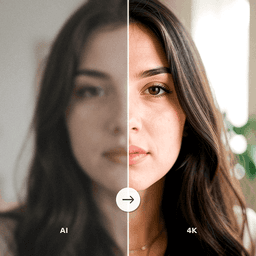
Colorize Your Black and White Photos
ClearPastAI brings your vintage black and white photos to life with intelligent AI colorization. See your family history in full, natural color for the first time. Download the app and transform your monochrome memories today.
Free to try. No account required.