
Fashion catalog production is rarely a single task. It is a chain of edits (background removal, color variants, mannequin shots, lifestyle scenes, sketch reviews, outfit pairings), and each link in that chain has historically required its own software, its own specialist, or its own contractor. ApparelAI Studio collapses that chain into one platform with seven dedicated AI tools, each tuned for a specific fashion workflow.
This is the full tour. For each tool you will find what it does, who it is for, and a direct link to try it.
If you only have time to skim, the headline is this: every tool runs free on the no-card-required tier, every output is high-resolution and marketplace-ready, and every tool is accessible from the same dashboard.
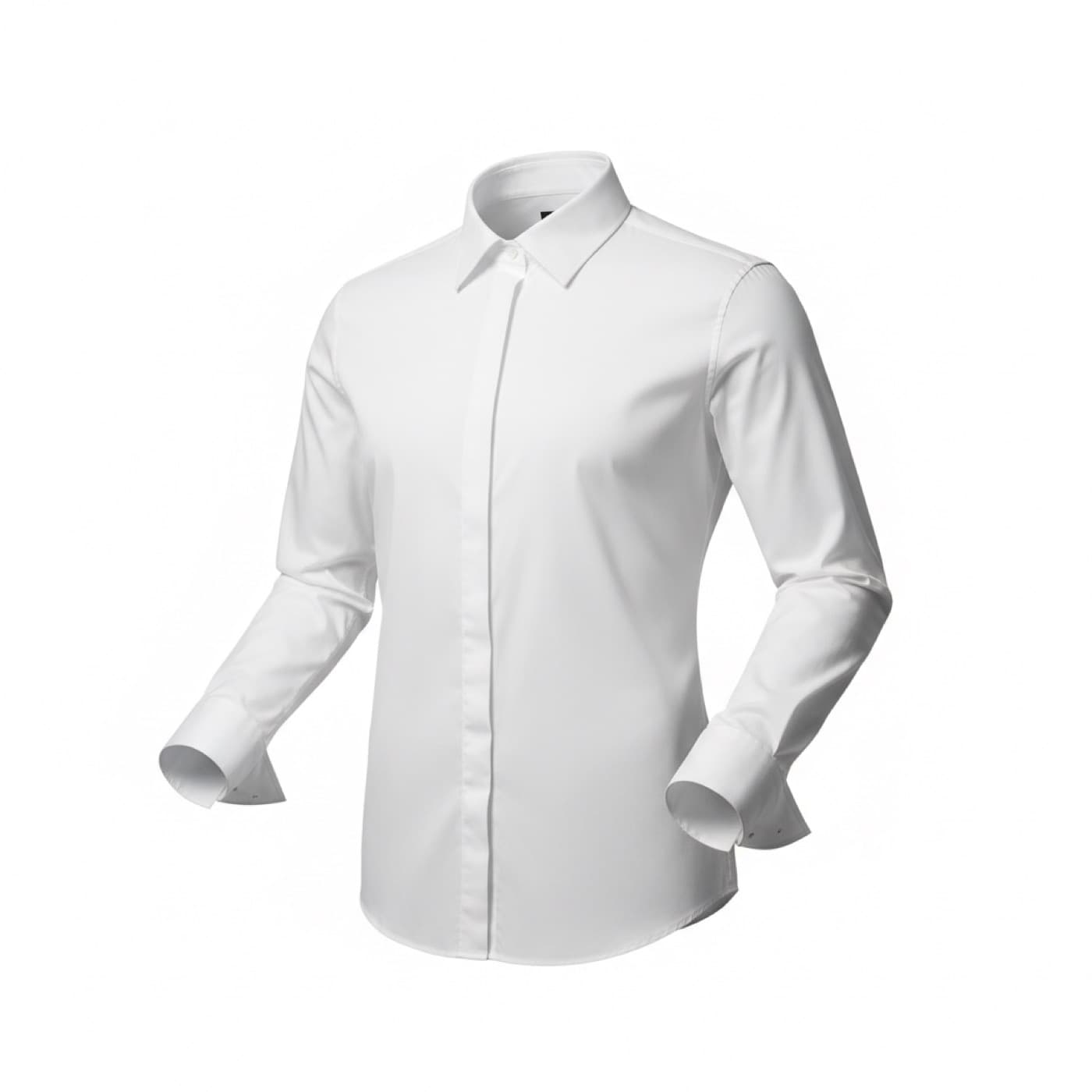
AI Ghost Mannequin Generator
"Invisible-mannequin product shots from any hanger or on-model garment photo."
The ghost mannequin look, those clean hollow garment shots where the clothing appears to be worn by an invisible person, is the de facto standard for product imagery on Amazon, Shopify, Flipkart, and Meesho. It signals professionalism, shows fit and drape clearly, and converts noticeably better than flat lays.
Traditionally, a ghost mannequin shot requires a physical mannequin, a photographer, careful lighting, and 30 to 60 minutes per SKU of in-shoot work plus post-production. The going rate from a professional service is $15 to $40 per SKU.
ApparelAI Studio's ghost mannequin generator does the same job from a single hanger photo, flat lay, or on-model image. The AI removes the original support, reconstructs the inside of the collar and neckline, preserves fabric drape and hem fall, and outputs a clean ghost mannequin shot. From one source upload, you can generate front, back, and side views.
Amazon and Shopify sellers, catalog teams scaling product photography, brands replacing traditional ghost mannequin services.
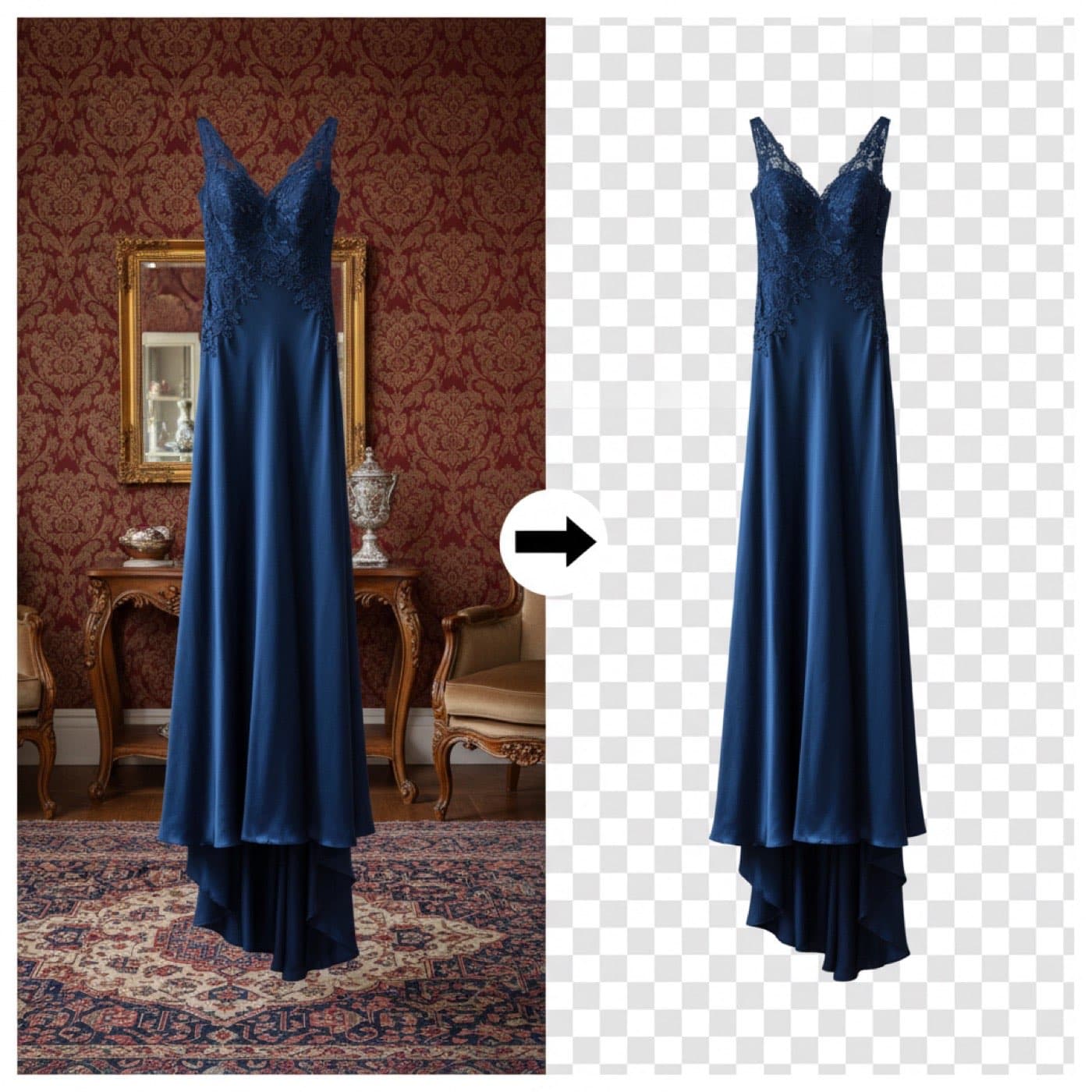
AI Background Remover
"Strip the backdrop in one click. Returns a clean transparent PNG ready for any layout."
Background removal sounds like a solved problem until you actually try to do it on fashion imagery. Flyaway hair, sheer fabrics, lace, fur, fringe, embroidered cutouts: these are the cases where generic background removers fall apart, leaving you with jagged edges, lost detail, or hours of manual cleanup in Photoshop.
ApparelAI Studio's background remover is trained specifically on fashion imagery. It handles edge cases that generic tools cannot. The output is a clean transparent PNG that drops straight into any layout: marketplace listings, lookbook compositions, paid ad creative, email banners.
For brands that want to composite their own backgrounds in design software, this tool is the fastest first step. For brands that want the platform to handle background replacement as well, the next tool on the list does that in one shot.
E-commerce teams prepping listings, designers compositing layouts, photographers cleaning model shots.
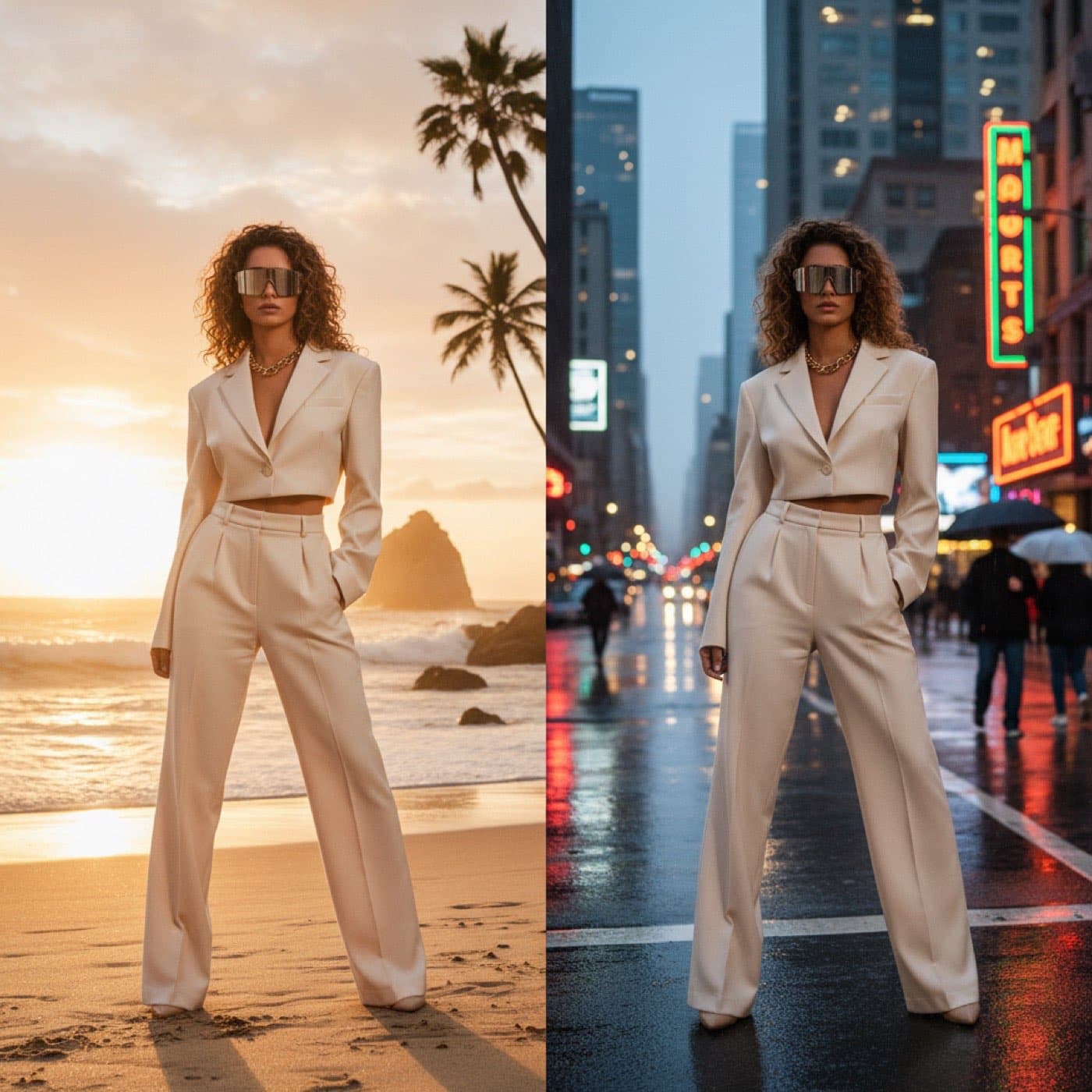
AI Background Changer
"Swap the backdrop for any scene. Describe it in words or upload a reference photo."
The background changer goes a step beyond removal. Instead of returning a transparent PNG, it replaces the original backdrop with a new scene (described in plain text or uploaded as a reference image) and re-lights the garment to match the new environment.
Want your spring collection on a sunlit Parisian street? Type "sunny Parisian street, golden hour" and the tool generates it. Want a moodier shoot for your fall drop? Describe a fog-lit forest or upload a reference frame from a film. Auto-matched lighting means the garment does not look pasted in. Shadows, color temperature, and reflections all shift to fit the new scene.
This is the tool that kills the "we need to re-shoot for the new season" line item. Seasonal refreshes that used to require a full re-shoot become a 30-second background swap.
Seasonal catalog refreshes, A/B testing lifestyle scenes against studio shots, paid ad creative variation.
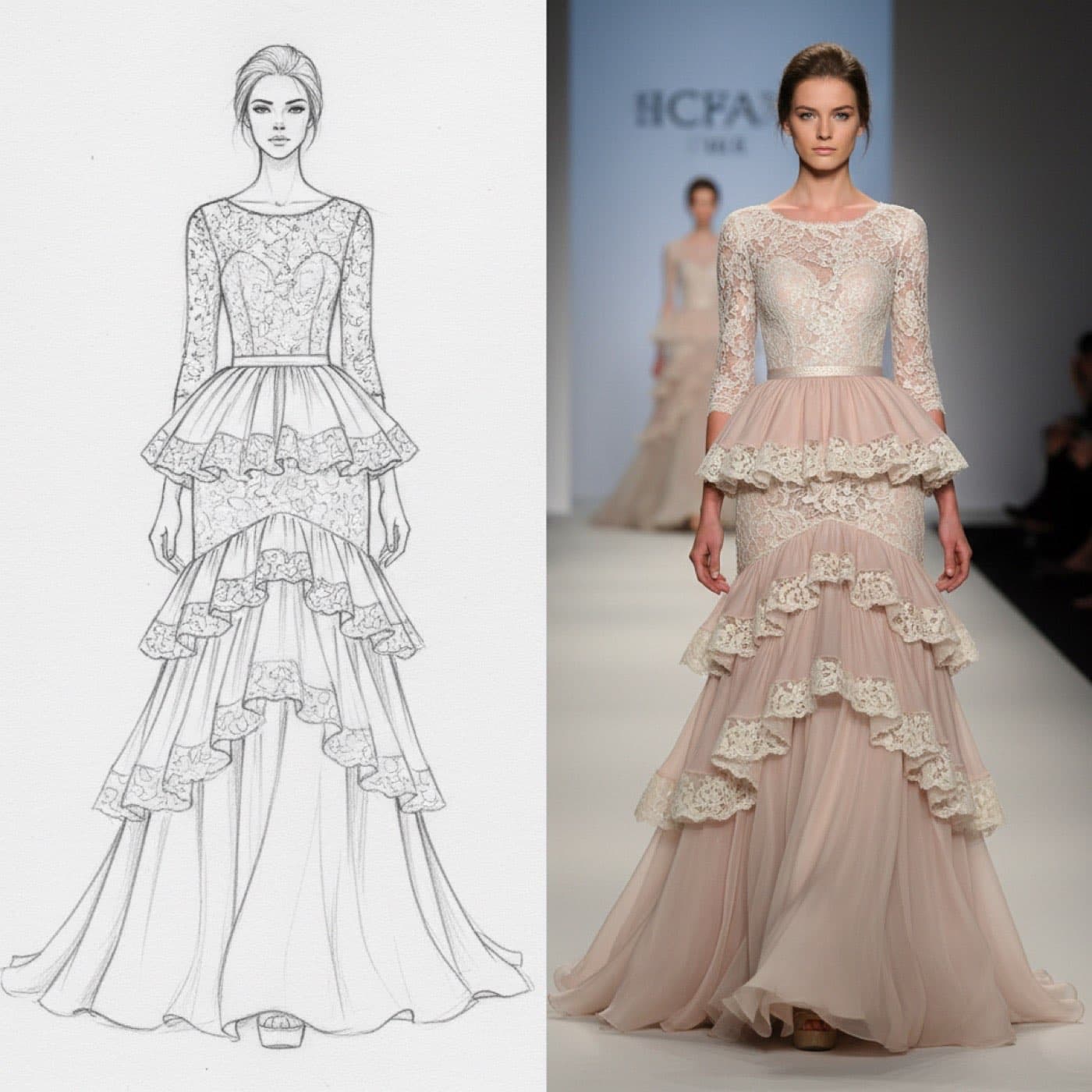
AI Sketch to Garment
"Turn a hand-drawn sketch or technical flat into a finished garment on a real AI model."
This tool runs in the opposite direction from the rest. Instead of starting with a finished garment and editing it, sketch to garment starts with a hand-drawn fashion sketch or a technical flat, and outputs a photorealistic rendering of the finished piece worn by an AI model.
For designers, this collapses the timeline between concept and lookbook. A sketch that would normally need to be sampled, fitted, photographed, and edited before it could be reviewed by buyers or merchandisers can now be evaluated as a finished image in seconds. Style hints like fabric type, color, and finish can be added as text to refine the output.
The use case here is not final catalog imagery; it is decision-making speed. Line reviews happen earlier, buyers commit (or pass) on collections before sampling costs are incurred, and design iterations get tested visually before they are produced physically.
Designers, buyers, merchandisers, brands running pre-sampling review processes.
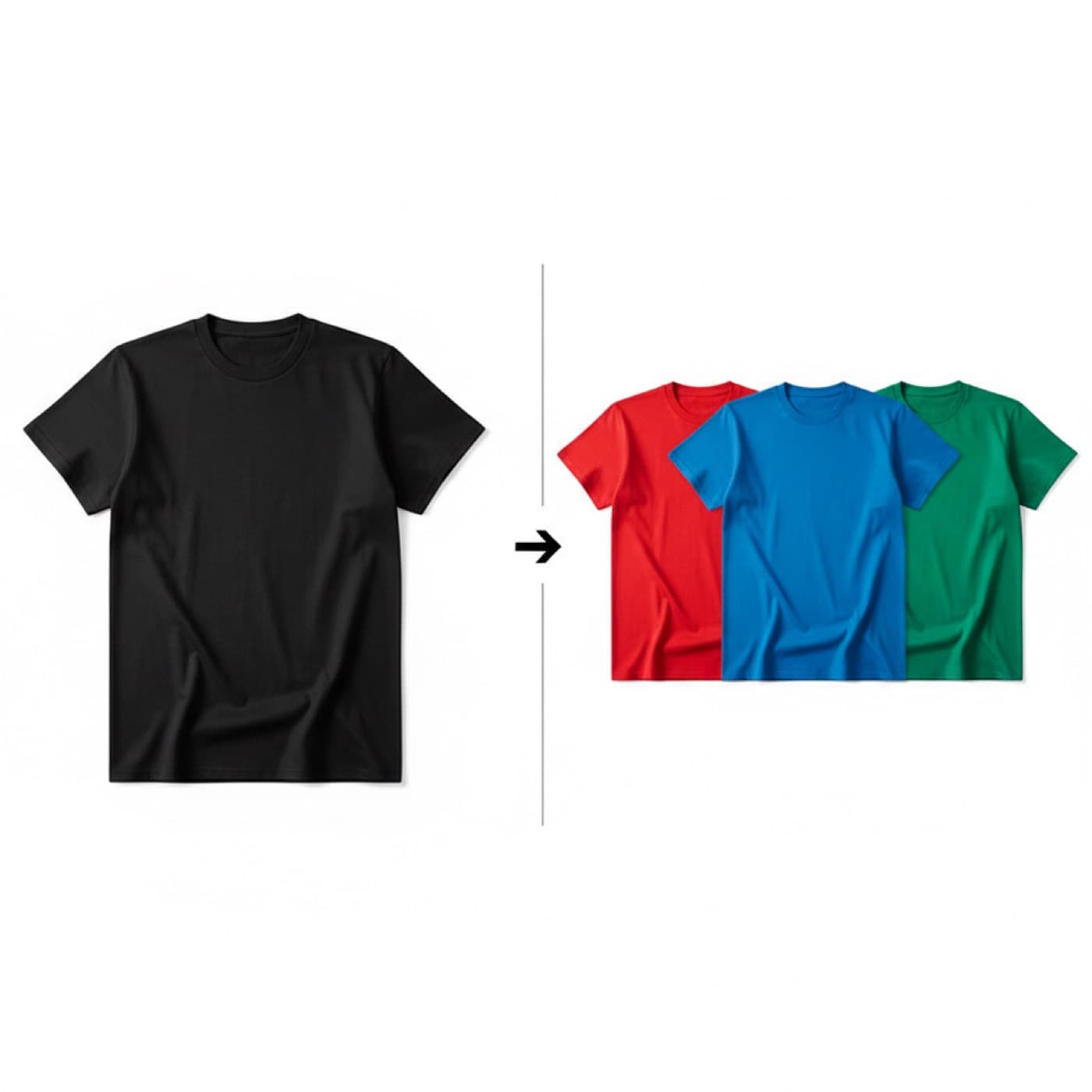
AI Color Variation Generator
"Render the same garment in up to 6 colors in one shot."
If you have ever launched a single style in six colorways, you know the pain. Either you shoot six times (six SKUs, six setups, six edits) or you Photoshop the color variants and accept the compromises that come with manual color shifting.
ApparelAI Studio's color variation tool renders up to six colors of the same garment in a single shot. The model, pose, lighting, and background stay identical across every variant. The only thing that changes is the garment color. The result is a cohesive set of colorway images that look like a coordinated mini-campaign rather than a Frankenstein of mismatched shoots.
For marketplace listings, this means every color of a product can show on its own page with consistent imagery rather than one "lead" color and five obviously different secondary shots. For paid ads, it means colorway-specific creative without colorway-specific production budgets.
Brands launching multi-colorway styles, marketplace sellers, paid social teams testing color variants.
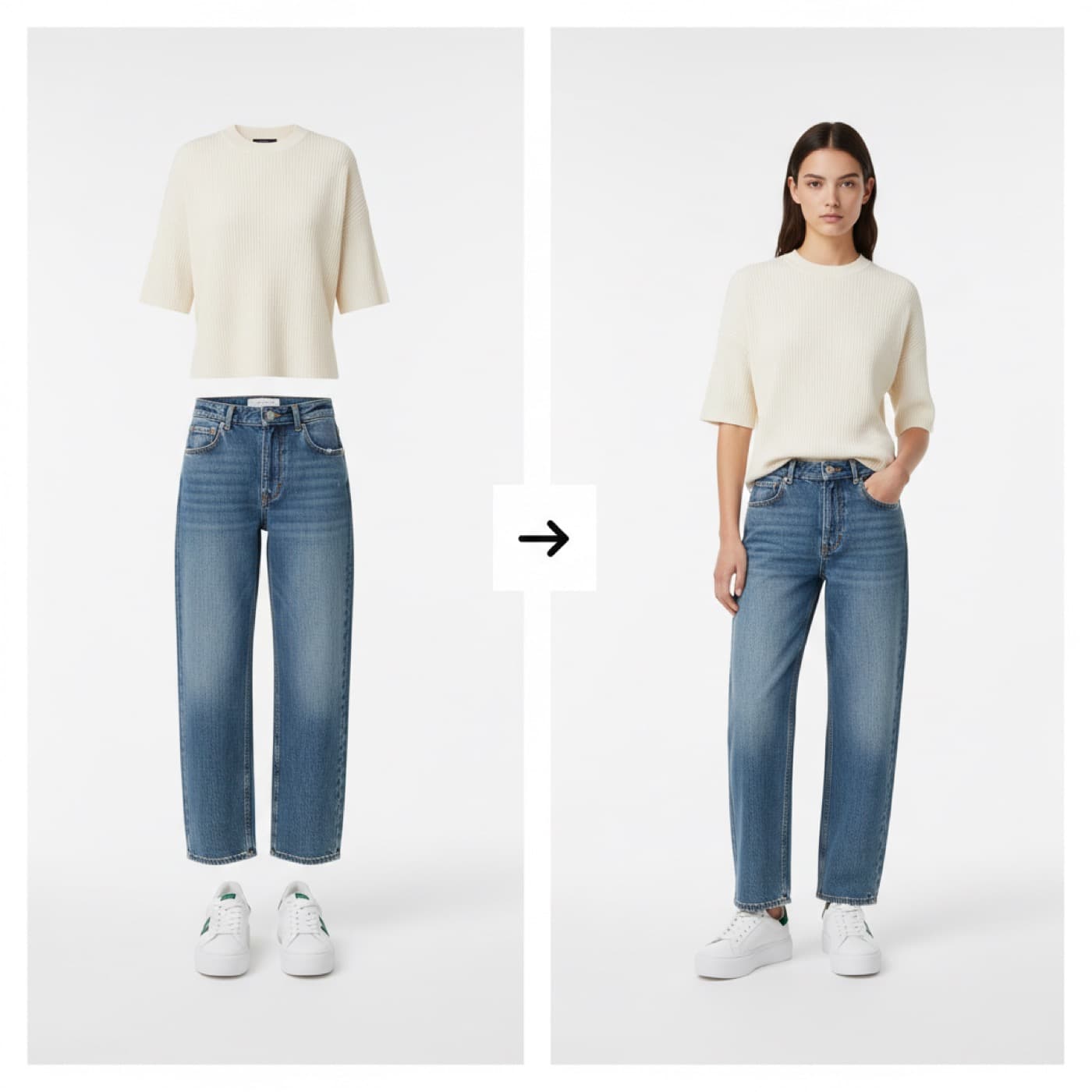
AI Outfit Builder
"Combine a top + bottom (+ optional shoes, accessories, model) into one fully-styled photo."
The outfit builder is the merchandising tool. Instead of working with a single garment, it takes a top, a bottom, and optional accessories (shoes, bags, jewelry, outerwear) and composes them into a single styled photo on an AI model.
The output is what e-commerce calls a "shop the look" image: a complete outfit that lets the customer visualize the full styling and adds multiple items to cart from a single product page. Lighting is matched across all the garments. Layering is realistic, so a jacket sits naturally over a shirt, a belt sits at the waist rather than floating, and accessories drape correctly.
This is the highest-leverage tool in the suite for average order value. Brands that have invested in single-product photography can use the outfit builder to generate styled compositions from their existing image library, without needing to re-shoot anything. The cost-to-impact ratio is one of the strongest in the toolkit.
"Shop the look" merchandising, editorial lookbooks, multi-item bundle promotion.
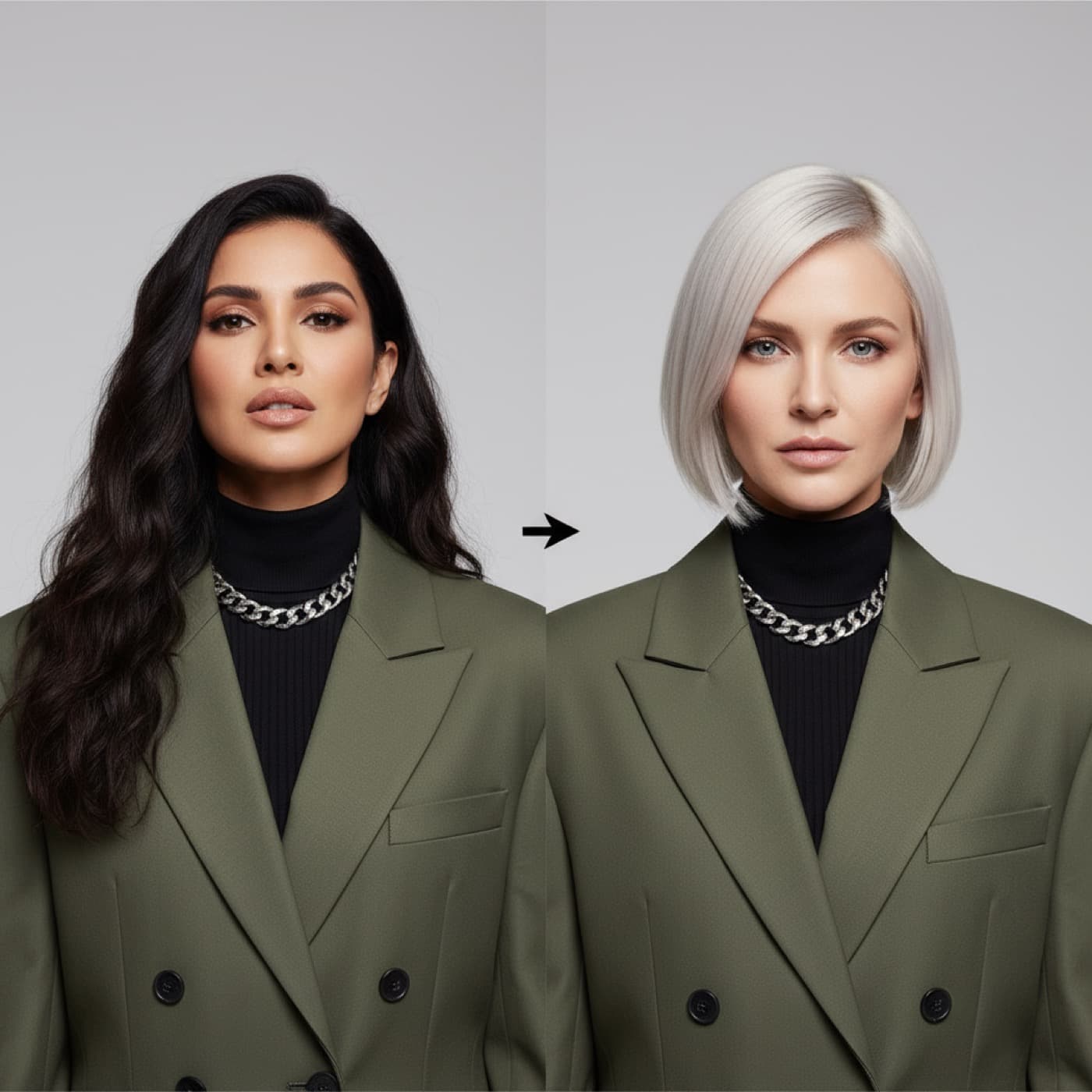
AI Model Swap
"Replace the face and hair on any model photo with a donor face."
The model swap tool is the most controversial and the most useful, depending on how it is used. It replaces the face and hair on any existing model photo with a different identity, while keeping the garment, pose, and background untouched.
Used responsibly, this is a powerful tool for several legitimate workflows. Brands that have purchased stock photography or older agency shoots can re-cast those images with their own brand-owned persistent model, giving the existing assets a consistent face. Brands that need to represent different demographics in localized campaigns can swap models for regional variants without re-shooting. Brands transitioning to AI-first catalog production can phase out human model dependence while preserving their existing image library.
ApparelAI Studio's implementation is designed for brand-owned face swaps, meaning you are swapping in faces you have rights to, typically a persistent AI brand model. The tool is not intended for face-swapping public figures or for unauthorized identity manipulation.
Re-casting existing image libraries, demographic localization, transitioning legacy catalogs to a persistent brand model.
How the Seven Tools Fit Together
Each tool stands alone, but the real productivity gains come from chaining them. A typical end-to-end workflow inside ApparelAI Studio might look like this:
- 1Sketch to Garment: designer renders a new piece for buyer review.
- 2Color Variation: once approved, render the full colorway set.
- 3Ghost Mannequin: generate marketplace-required ghost shots from the same source image.
- 4Background Changer: produce lifestyle versions for paid ad creative.
- 5Outfit Builder: combine the new piece with existing inventory for "shop the look" merchandising.
- 6Background Remover: extract clean transparent versions for email banners.
- 7Model Swap: re-cast older catalog imagery onto the same persistent brand model for visual consistency.
Every step in that chain used to require a different tool, a different vendor, or a different specialist. Doing it all inside one platform with a single credit pool is what makes the platform stick for catalog teams.
Credits and Plans
All seven tools draw from the same credit pool, which is allocated based on your subscription tier:
- Free: 3 images per month, watermarked, no credit card.
- Pro ($12/month): 100 images per month, no watermark, 3 custom brand models.
- Business ($50/month): 500 images per month, unlimited custom models, batch generation.
- Enterprise: Custom limits, white-label options, API access.
The free tier is enough to test every tool on real products. If you only need occasional edits, you may never need to upgrade.
Getting Started With the Toolkit
The fastest way to learn the toolkit is to take one of your existing product photos and run it through three or four tools in sequence. Start with the background remover to clean up a hanger shot. Run the cleaned image through the ghost mannequin generator to get a marketplace-ready listing image. Then push the same source through the background changer for a lifestyle version.
Within ten minutes, you will have produced the kind of multi-format imagery that traditionally takes weeks of coordination and several thousand dollars in production costs.
Frequently Asked Questions
What are the best AI tools for fashion brands?
The best AI tools for fashion brands cover the full catalog workflow: AI ghost mannequin generator, AI background remover, AI background changer, AI sketch to garment, AI color variation, AI outfit builder, and AI model swap. ApparelAI Studio bundles all seven into one fashion AI software suite, which is more useful than stitching together separate tools because credits, brand models, and exports are shared across the suite.
Is there a free AI ghost mannequin generator I can try?
Yes. ApparelAI Studio's free tier includes access to the AI ghost mannequin generator with no credit card required. You can try the invisible mannequin AI tool on a handful of real products to see whether the output meets your catalog quality bar before upgrading.
What is the best AI background remover for fashion photos?
A fashion-specific AI background remover handles edge cases like flyaway hair, sheer fabrics, lace, fur, fringe, and embroidered cutouts that generic tools cannot. ApparelAI's AI background remover is trained specifically on fashion imagery, which is what makes it a stronger choice for catalog work than generic remove-background tools.
Can AI turn a fashion sketch into a finished photo?
Yes. ApparelAI's AI sketch to garment tool (also known as a tech pack to photo or fashion sketch generator) converts hand-drawn fashion sketches and technical flats into photorealistic AI model imagery. This is widely used by designers and merchandisers for pre-sampling line reviews so buyers can evaluate designs before garments are physically produced.
Are these AI fashion tools good for Shopify and Amazon sellers?
Yes. All seven tools output marketplace-ready images, and ApparelAI Studio includes one-click export presets for Shopify, Amazon, WooCommerce, Etsy, Meesho, Flipkart, and Meta Ads. The toolkit is designed specifically for AI ecommerce tools workflows, including bulk batch generation for high-SKU catalogs.
The Bottom Line
The seven tools in ApparelAI Studio cover every common step in fashion catalog production: cleanup, conversion, variation, composition, identity. None of them are revolutionary on their own. Most of them have rough equivalents scattered across other platforms. What makes the toolkit valuable is that they all live in one place, share a model and asset library, and produce consistent output across an entire catalog.
For brands still bouncing between Photoshop, Remove.bg, a freelance retoucher, and an outsourced ghost mannequin service, consolidating into one platform is the obvious move. The credit-based pricing means you only pay for what you generate, and the free tier removes any reason not to try.
Try Every Tool Free
Sign up for the free plan to test all seven AI tools on your own products. No credit card required.