
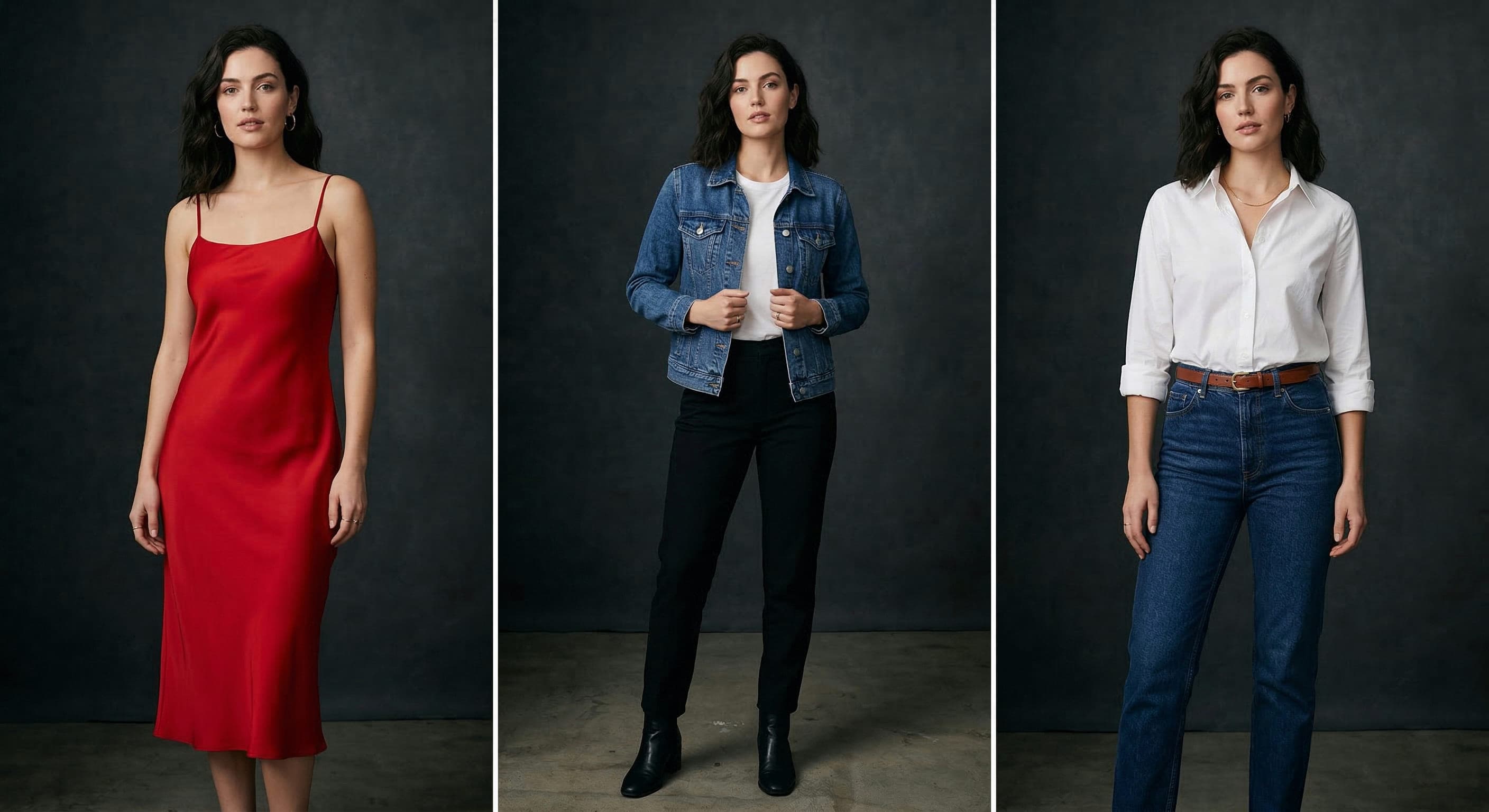
Traditional fashion photoshoots are a logistical nightmare. Booking a studio, hiring a photographer, casting models, coordinating stylists, paying for hair and makeup, scheduling around weather and lighting, then waiting weeks for retouched files to land in your inbox. All to launch a single collection that may already feel dated by the time the assets are live. For independent brands, marketplace sellers, and high-volume catalog teams, the math has stopped working.
ApparelAI Studio is rewriting that math. The AI fashion photoshoot platform converts basic product photos (flat lays, hanger shots, on-model captures) into studio-grade fashion imagery in under 30 seconds. No casting calls, no studio rentals, no retouching backlog. Just upload, pick an AI fashion model and backdrop, and download images that are ready for Shopify, Amazon, Etsy, or your DTC site. It is, in practice, an AI photoshoot generator and AI fashion model generator rolled into one.
This article breaks down what ApparelAI Studio is, how it works, who it is built for, and why over 1,200 fashion brands have already moved their catalog production into it.
The Real Cost of a Traditional Fashion Photoshoot
To understand why AI fashion photography is gaining traction so quickly, it helps to itemize what a conventional shoot actually costs.
A modest e-commerce shoot for 30 SKUs typically requires a half-day studio rental, a fashion photographer, one or two models, a stylist, a hair and makeup artist, and a post-production editor for retouching. Add equipment rental, location fees if you shoot off-site, and agent commissions on top of model fees, and the bill quickly climbs past $3,000 to $5,000 for a single session. Larger brands shooting hero campaigns regularly spend $15,000 to $50,000.
Then there is the timeline. From booking to final retouched assets, expect three to six weeks. During that window, the products may already be live with placeholder imagery, or worse, sitting in your warehouse waiting on photography before they can be listed at all.
And finally there is the consistency problem. The model you booked in February may not be available in May. The lighting setup you used for your spring drop may not be reproducible for your summer collection. Visual cohesion across a growing catalog requires either obsessive documentation or expensive ongoing relationships with the same crew, both of which become harder as your SKU count grows.
ApparelAI Studio attacks all three problems at once: cost, speed, and consistency.
What ApparelAI Studio Actually Is
At its core, ApparelAI Studio is a web-based AI fashion photoshoot platform (with companion iOS and Android apps) that takes a single garment photo and renders it onto an AI fashion model in a chosen environment. As an AI clothing photography tool, it produces high-resolution, retouched output that is indistinguishable from a traditional studio shot for most use cases.
You start by uploading any photo of your garment: a flat lay on the floor, a hanger shot against a wall, or an existing on-model image. The AI removes the original background, isolates the garment, and re-renders it onto a new model in a new setting based on your selections.
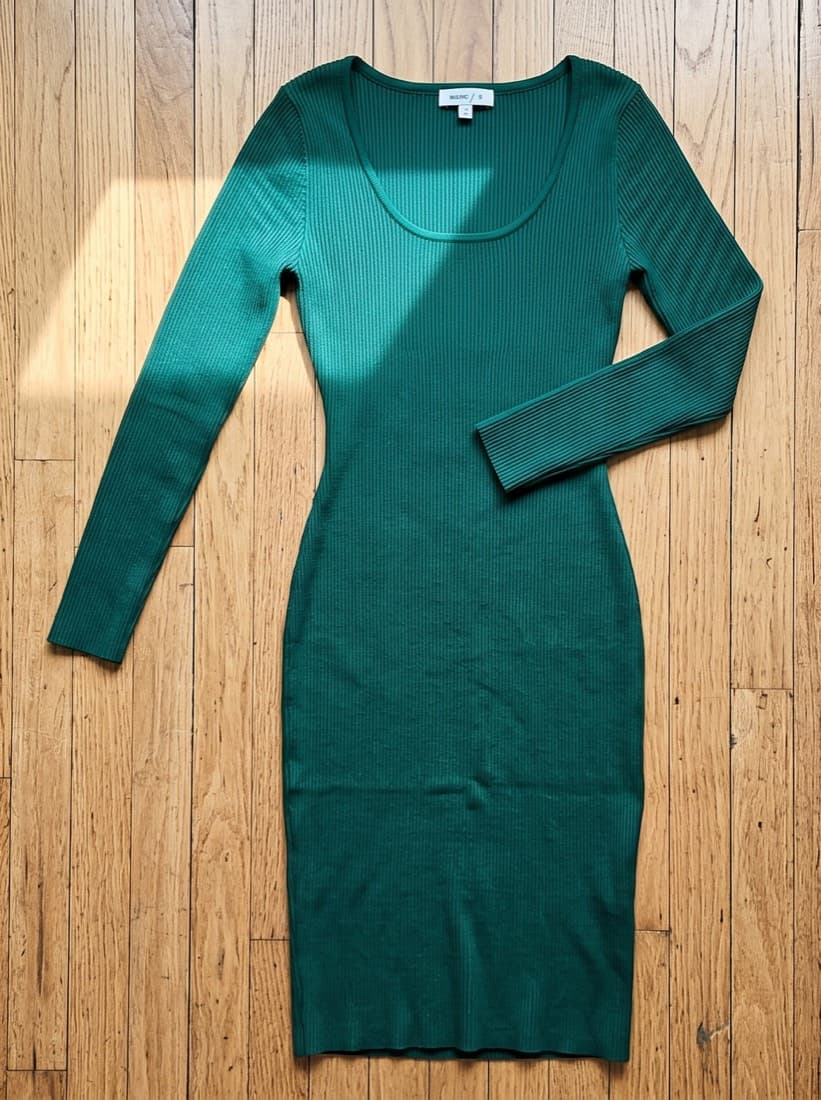
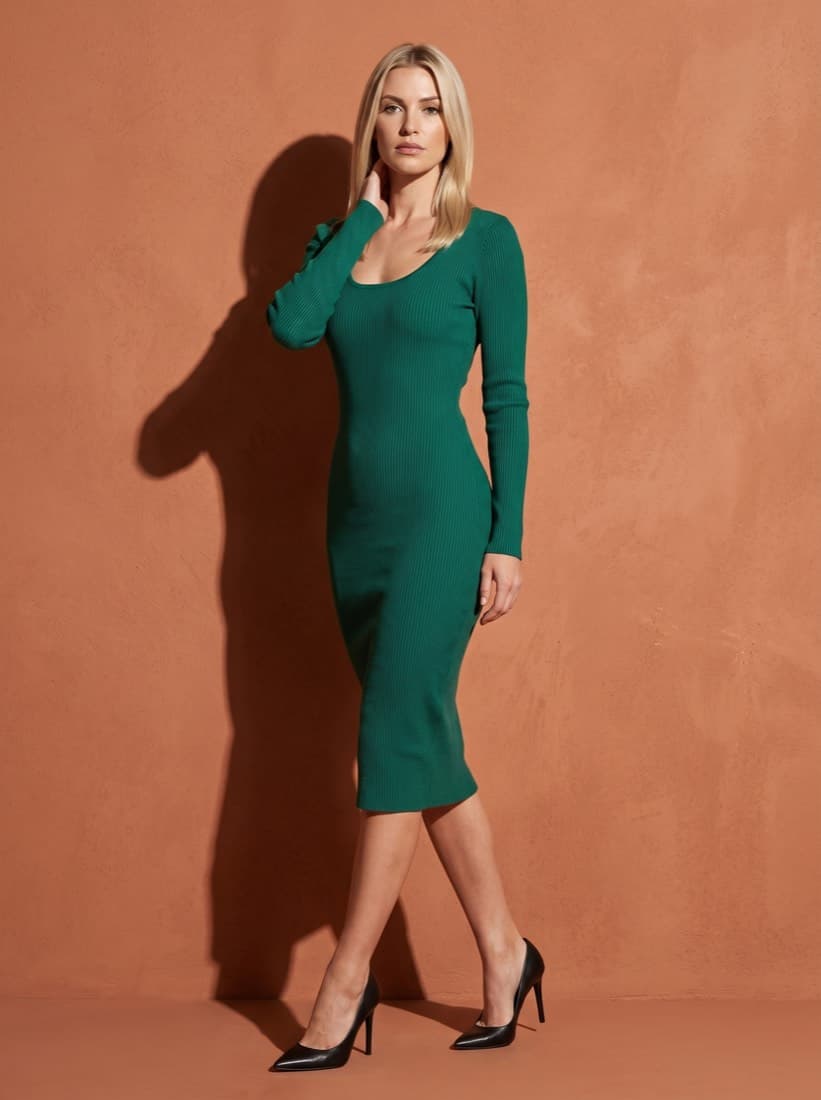
Output specs are catalog-ready out of the box: high-resolution files, clean cropping, neutral or stylized backgrounds, and lighting that matches the chosen scene. For platforms with strict image requirements like Amazon, this AI product photography tool includes one-click export presets that match the specifications of every major marketplace, making it equally useful as an AI photoshoot for Shopify, AI photos for Amazon sellers, or assets for Etsy and Meta Ads.
How It Works: Upload, Customize, Download
The three-step workflow is the same whether you are generating a single product image or batch-producing 500 SKUs at once.
Step 1: Upload
Drag in any garment photo. The platform accepts flat lays, hanger shots, dress forms, and on-model images. Even mediocre source photos work. The AI re-renders the garment in its own lighting and composition, so you do not need professional input to get professional output.
Step 2: Customize
Select a model from the library of 50+ pre-built AI models spanning a range of ages, ethnicities, body types, and styles. Choose a background from hundreds of options: clean studio whites, urban street scenes, beach settings, editorial backdrops, or your own brand-specific environments. Apply a saved style preset to keep lighting, color grading, and mood consistent across your catalog.
Step 3: Download
Within 30 seconds, the platform returns a finished, high-resolution image. Export it directly to Shopify, Amazon, WooCommerce, Etsy, Meta Ads Manager, or any of the other integrated platforms. For batch jobs, download a zipped archive of all generated images at once.
The Persistent Brand Model: ApparelAI's Standout Feature
Most AI image generators produce a different-looking person every time you generate. That is a non-starter for fashion brands, which depend on visual consistency to build recognition. A returning customer who saw your spring collection on a specific model and aesthetic should feel that same brand presence when they see your fall drop.
ApparelAI Studio solves this with a feature called the persistent brand model. You create or upload a model once, train the system on that face and silhouette, and from that point forward every photoshoot uses the same model with the same face, the same proportions, and the same energy, without any of the booking complications of working with a human model.
This single feature is what differentiates ApparelAI from generic AI image tools. Catalog consistency stops being a coordination problem and becomes a setting. A brand can have multiple brand models for different lines (athleisure, formal, accessories) and switch between them instantly. Re-launching an older collection on the same model that originally fronted it is now a click rather than a re-booking.
Inclusive Models and Realistic Backgrounds
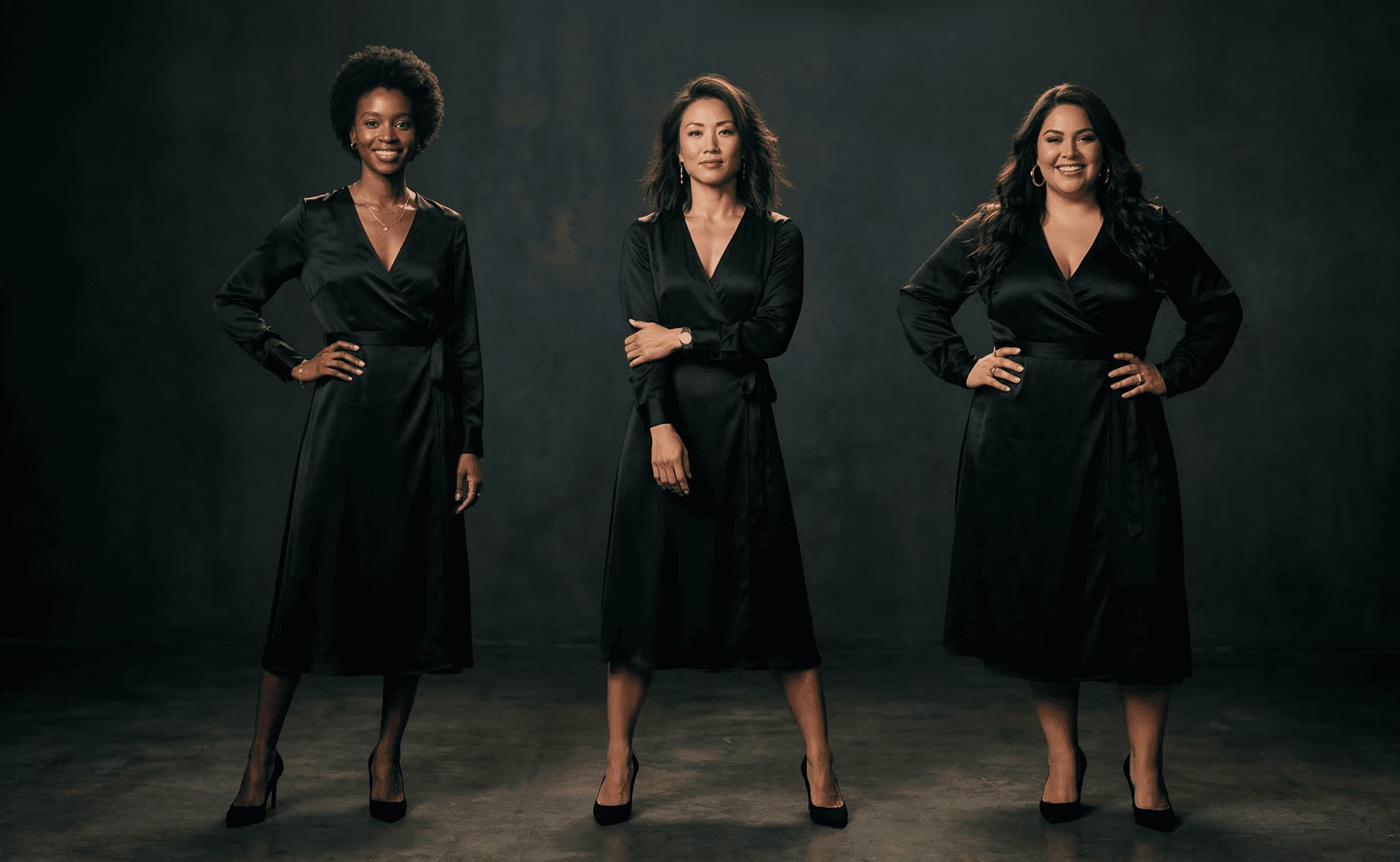
ApparelAI Studio ships with 50+ pre-built models curated specifically for body and demographic diversity. The library includes a range of body types from petite to plus, multiple ethnicities, a span of ages including mature models, and varied styles from minimalist to maximalist.
This matters more than it sounds. Size-inclusive and body-positive brands have historically faced a structural problem with model availability. Finding plus-size models in specific size ranges, or models who match niche brand aesthetics, has been a recurring bottleneck. AI eliminates that bottleneck entirely. If your brand serves a customer that traditional model agencies have underserved, you can finally show them in your catalog without compromise.
Backgrounds follow the same logic. Hundreds of pre-built scenes cover everything from sterile e-commerce whites to editorial settings, lifestyle environments, and seasonal moods. Custom backgrounds can be generated from text prompts or uploaded reference images.
Batch Generation: 500 Products in an Afternoon
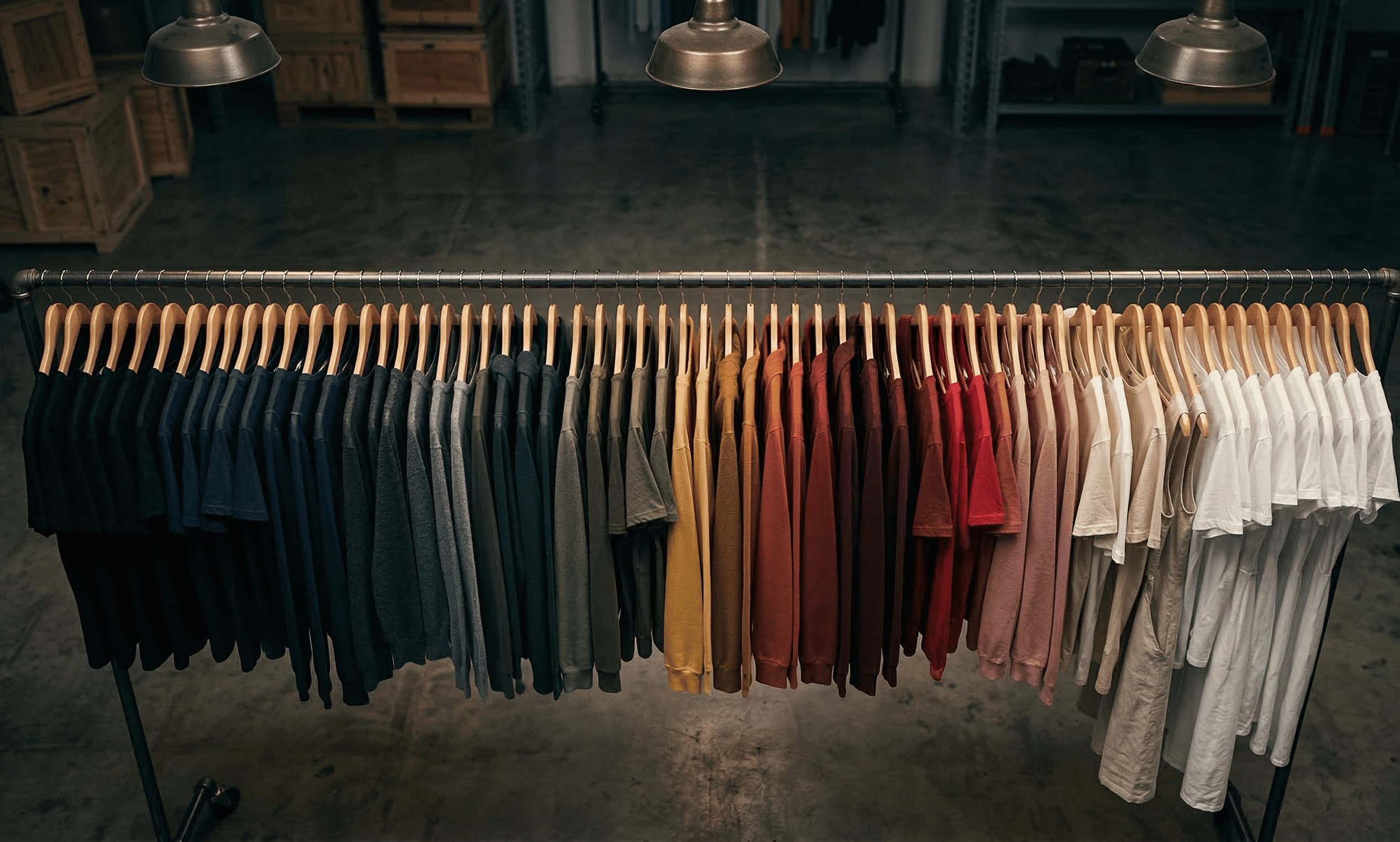
For high-volume brands, the killer feature is batch generation. Upload a folder of 500 product photos, apply a single model and backdrop selection across the entire batch, and walk away. The platform returns a complete, cohesive set of catalog images in the time it would take to brief a photographer on the first shot of a traditional session.
Silk & Stone, an e-commerce brand cited in ApparelAI's case studies, batch-processed 500 products in a single afternoon. The result was a 40% lift in product page conversion rates once the new imagery went live. Better-quality images sold better, and they were generated at a fraction of the historical cost.
Brand Kits and Style Presets
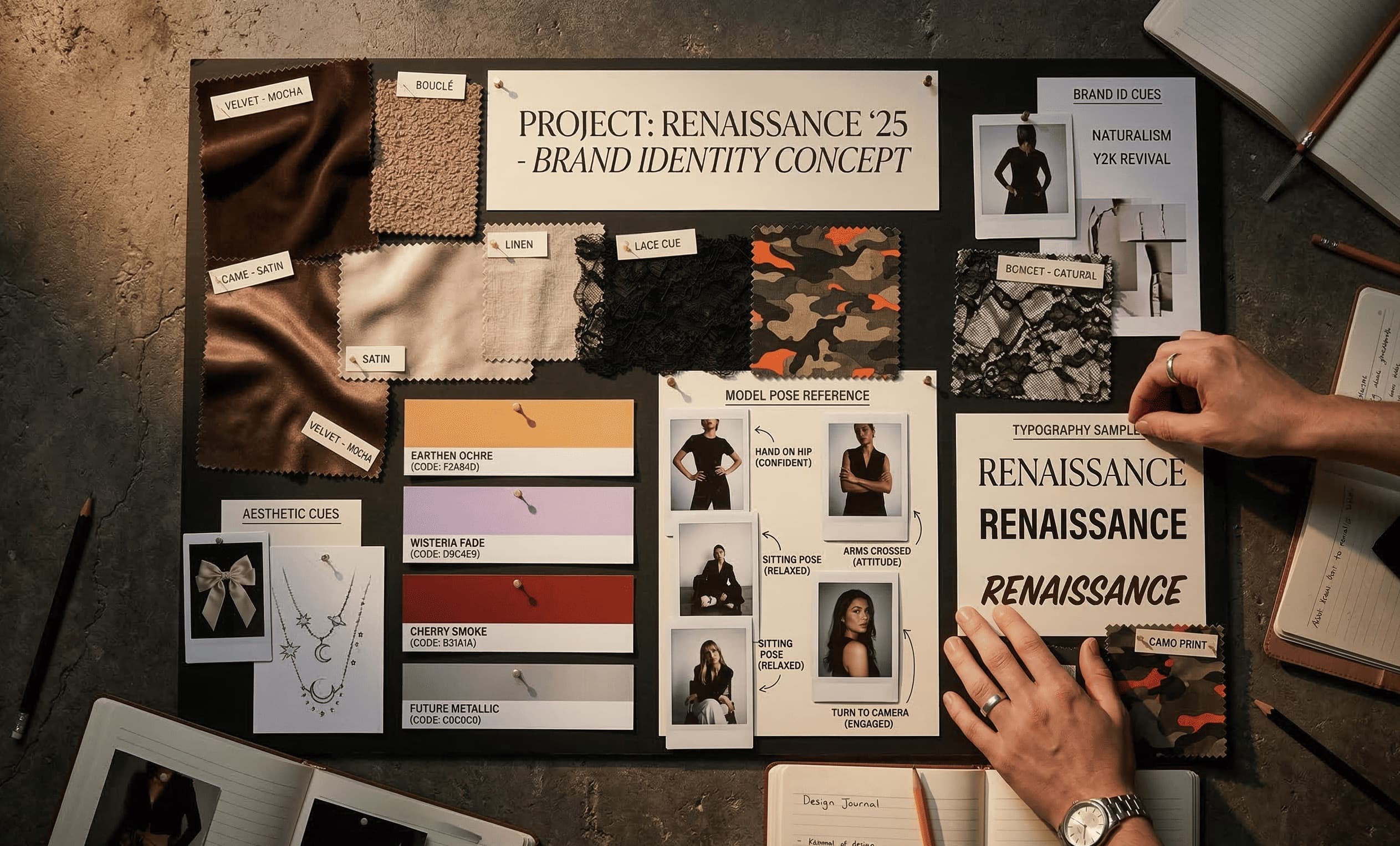
Brand identity is more than the model and the garment. It is the lighting, the color grade, the mood, the consistency of finish across every image in your catalog. ApparelAI Studio lets you save those choices as reusable presets, so every new generation inherits your brand's visual identity automatically.
This is the difference between a catalog that looks like a single brand and a catalog that looks like a collection of stock photos pasted together. For teams scaling content production, presets are what make scale possible without sacrificing brand cohesion.
The Built-In Toolkit: Seven AI Utilities
Beyond core photoshoot generation, ApparelAI Studio ships with a complete utility suite covering every common catalog edit:
- AI Ghost Mannequin: invisible-mannequin product shots from hanger or on-model photos
- AI Background Remover: clean transparent PNGs for any layout
- AI Background Changer: swap any scene from text or reference
- AI Sketch to Garment: turn technical flats into finished AI model imagery
- AI Color Variation: render up to six colorways from one source image
- AI Outfit Builder: combine tops, bottoms, and accessories into styled lookbook photos
- AI Model Swap: replace the face on any existing model photo
Together these tools cover the full catalog workflow from concept sketch to marketplace listing without ever needing to leave the platform. We break each one down in detail in our complete AI toolkit guide.
Real Results from Real Brands
The case studies on ApparelAI Studio's site are specific and concrete. Velvet Lane, an independent brand founded by Sarah Chen, reduced photoshoot spending by 85%, moving from $5,000-per-session photoshoots to near-zero per-image cost. Urban Thread Co. used the persistent brand model feature to maintain catalog cohesion across collections, achieving what creative director Marcus Rivera describes as "3x faster launches." Silk & Stone, mentioned above, hit a 40% conversion rate improvement after replacing legacy imagery.
Across the platform, the numbers tell a consistent story: 50,000+ photos generated, 1,200+ active brands, 98% satisfaction rate.
Platform Integrations
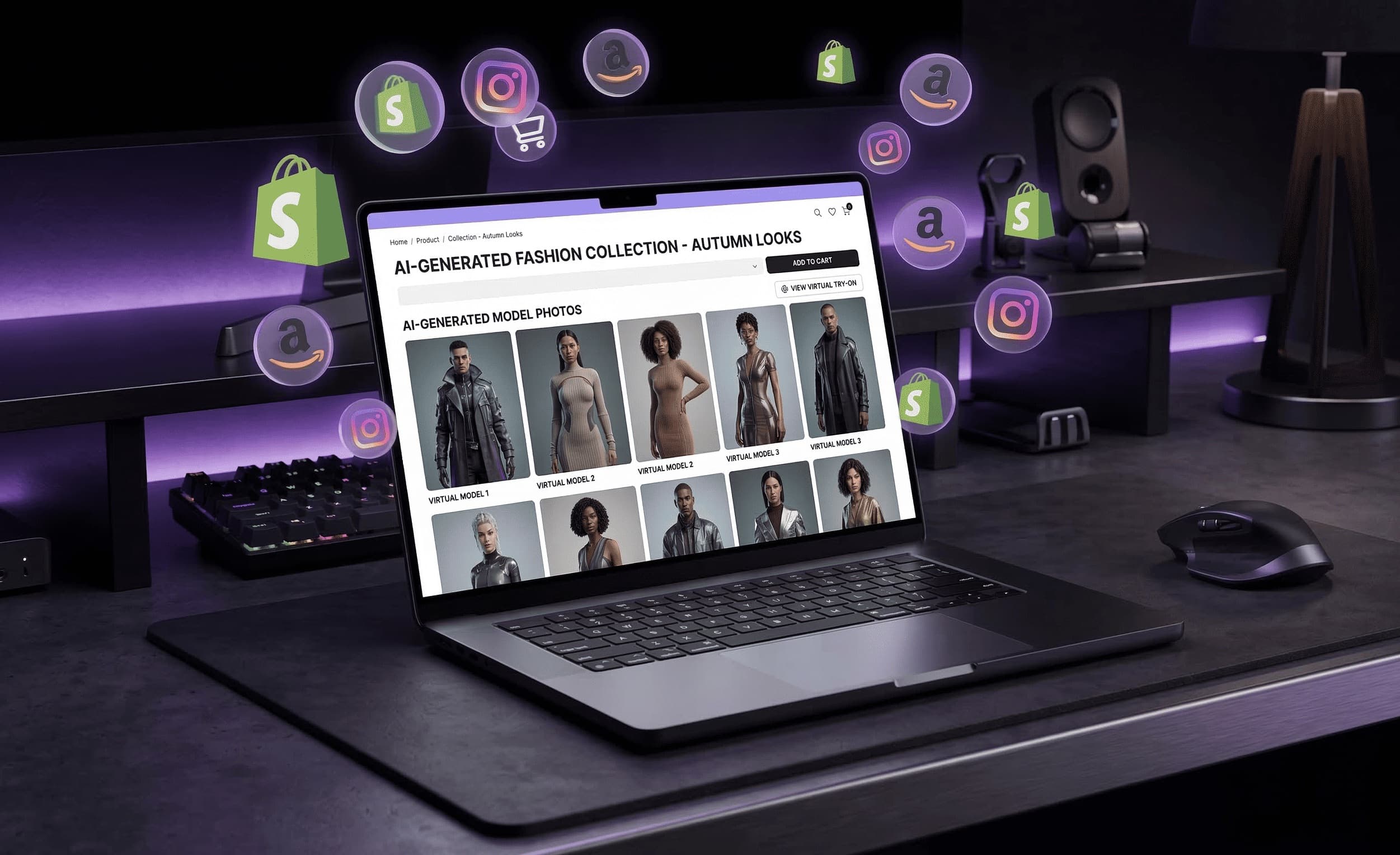
ApparelAI Studio integrates directly with the platforms where fashion brands actually sell. The one-click export presets cover Shopify, WooCommerce, Magento, BigCommerce, Etsy, Amazon, Meesho, Flipkart, and Meta Ads. For brands running custom storefronts or pipelines, API access is available on the Enterprise plan.
This matters because catalog imagery is not a final deliverable on its own. It is an input into a sales channel with its own image requirements. Getting from generation to live listing in one workflow is what makes the platform stick.
Pricing That Scales With You
ApparelAI Studio uses a tiered subscription model:
- Free: $0/month, 3 images/month, 10 pre-built models, watermarked output. No credit card required.
- Pro: $12/month, 100 images/month, 3 custom brand models, no watermark.
- Business: $50/month, 500 images/month, unlimited custom models, batch generation enabled.
- Enterprise: Custom pricing, unlimited images, white-label options, API access, dedicated account manager.
The free tier is a real free tier, not a limited trial. It is enough to test the platform on real products before committing to a paid plan.
Getting Started
The fastest path is to sign up for the free plan, upload a single product photo, and run one generation. Most users have their first usable image within five minutes of landing on the homepage.
From there, brands typically experiment with a handful of pre-built models before deciding whether to commit to a persistent brand model. The persistent model is where the real productivity gains compound. Once you have a consistent visual identity locked in, every subsequent shoot is faster and more cohesive than the last.
Frequently Asked Questions
What is the best AI fashion photoshoot platform?
For e-commerce brands and catalog teams, the best AI fashion photoshoot platform is one trained specifically on fashion imagery, integrated with marketplace export presets, and built around a persistent brand model concept for catalog consistency. ApparelAI Studio fits these criteria, which is why we focus on it here. Generic AI image generators lack the fashion-specific training and workflow integrations that make catalog production viable at scale.
Is there a free AI fashion photoshoot tool?
Yes. ApparelAI Studio offers a free tier with no credit card required, which includes a monthly allowance of AI fashion photoshoots, access to a curated set of pre-built AI fashion models, and the ability to download watermarked output. This is enough to evaluate the AI photoshoot generator on real products before committing to a paid plan.
Can AI replace a traditional fashion photoshoot?
For most catalog and e-commerce use cases, yes. AI clothing photography tools now produce output that is visually indistinguishable from a studio shoot for routine product pages. Hero campaigns, editorial features, and high-stakes brand storytelling often still benefit from human photography. The practical pattern most brands settle on is: AI for catalog volume, human shoots for hero moments.
How do AI fashion models stay consistent across a catalog?
Through a feature called the persistent brand model. Instead of generating a different-looking AI fashion model for every shoot, ApparelAI Studio lets brands train and lock in a custom model that becomes their signature face. Every subsequent photoshoot uses that same model, which is what makes the AI fashion model generator viable for catalog work rather than just one-off images.
Does this AI photoshoot generator work for Shopify and Amazon listings?
Yes. ApparelAI Studio ships with one-click export presets specifically tuned for Shopify, WooCommerce, Magento, BigCommerce, Etsy, Amazon, Meesho, Flipkart, and Meta Ads. The output meets the technical specifications of each platform, so the images are ready to use directly in listings without additional editing.
The Bottom Line
Fashion e-commerce has been waiting for a tool that treats catalog production as a software problem rather than a logistics problem. ApparelAI Studio is the closest current implementation of that vision. The cost savings are real, the speed is real, and the persistent brand model feature solves the one problem that has historically held back AI-generated catalog imagery: consistency.
For brands still booking traditional shoots for routine catalog work, the question is no longer whether AI fashion photography is viable. It is how quickly you can move your workflow over before your competitors do.
Try ApparelAI Studio Free
Upload a single product photo and see what AI fashion photography can do for your catalog. Free tier, no credit card required.